
Blog post ·
Wayfinding at Large Venues: Getting Attendees to the Right Booth
Big convention centers are easy to get lost in. Here's how signage, the floor plan and step-by-step directions in your event app work together to help attendees find their way.
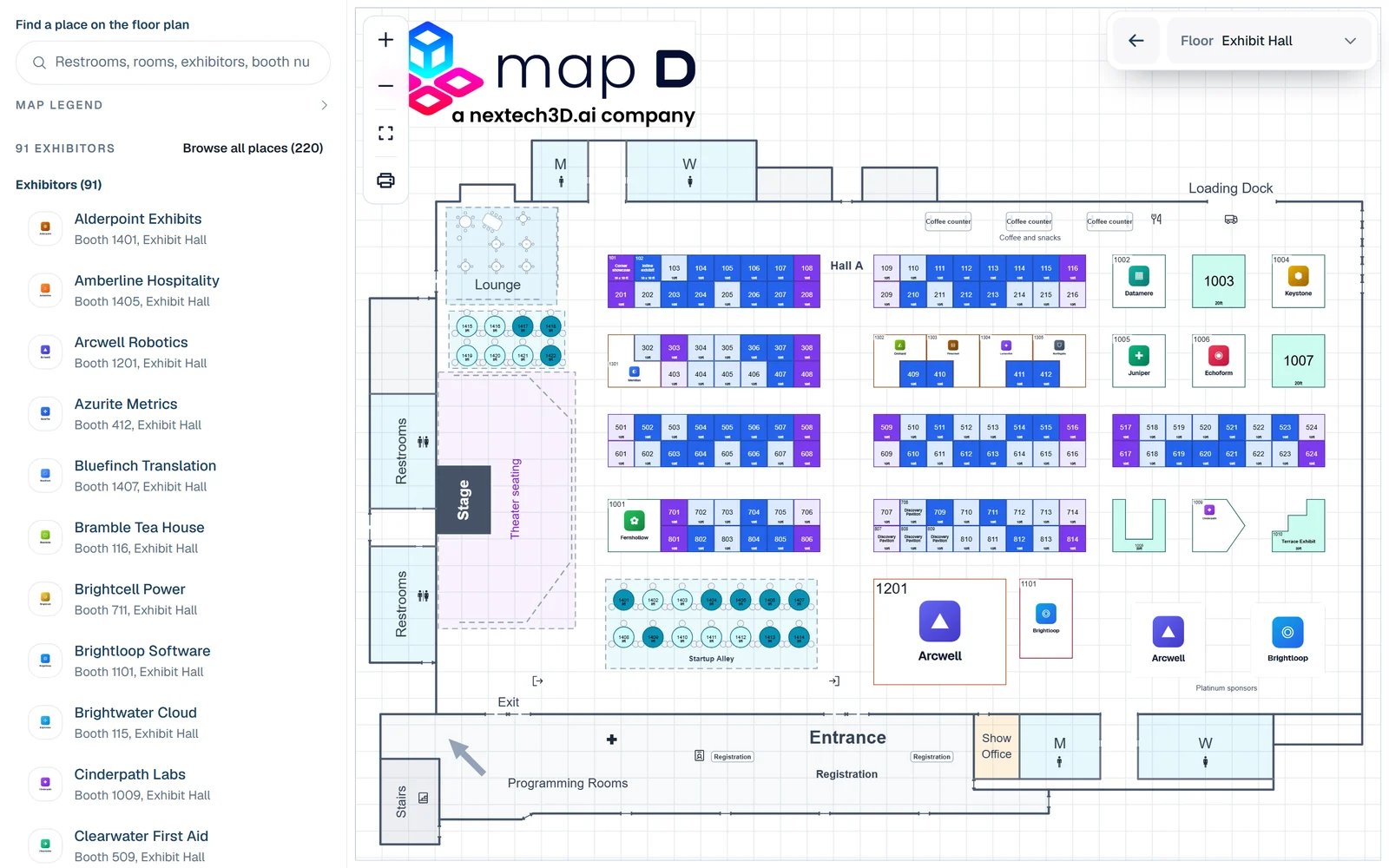
Some convention centers cover more than a million square feet, across multiple halls and floors. For a first-time attendee, finding a specific booth, session room or meeting table can take longer than the meeting itself.
Getting lost isn’t just frustrating for attendees. It costs exhibitors visitors, makes sessions start late and leaves people with a worse memory of your event. Good wayfinding fixes that.
Signage still matters
Digital tools help, but physical signage is still the first thing people look for. A few basics:
- Put large, high-mounted signs at every hall entrance and major intersection.
- Use the same names and numbers on signs, in the app and on the printed map.
- Mark aisles at both ends with their booth number range.
- Place “you are here” maps near entrances, escalators and food areas.
Make the floor plan easy to read
A floor plan designed for booth sales isn’t always the best one for finding your way. For attendees, highlight what they’re looking for: entrances, restrooms, food, session rooms, the registration desk and the exhibitors they care about. Keep booth numbering logical so people can guess where they’re going.
Put directions in the app
Attendees already have a phone in their hand. Step-by-step directions in the event app answer the most common question at any show, “where is booth 1240?”, without anyone needing to ask.
Good in-app wayfinding should:
- Route to any booth, session or point of interest with a tap on the map.
- Work across floors, directing people to the right escalator or elevator.
- Offer step-free routes by elevator, for attendees who use wheelchairs, strollers or rolling bags.
- Link to exhibitor listings, so attendees can go from “I want to see this company” to “here’s how to get there”.
Help exhibitors get found
Wayfinding is also an exhibitor benefit. When attendees can search for an exhibitor and get directions straight to their booth, booths in the back of the hall get visitors too. Challenges and notifications in the app can send traffic to specific areas, and sponsored highlights on the map give sponsors another way to stand out.
Test it on site
Before the doors open, walk the routes yourself, especially the step-free ones, and check that the map matches the room. A blocked elevator or a moved session room should be updated in the app before attendees find out the hard way.
How Map D helps
The Map D attendee app includes the live floor plan with step-by-step directions to any booth, across floors, with step-free routes by elevator. It’s the same floor plan exhibitors bought their booths from, so it’s always up to date.
Want better wayfinding at your next event? Talk to our team.